April 7, 2026
Why Your Customer Support Team Is Overwhelmed (And How Conversational AI Fixes It)
Explore how businesses use conversational AI to handle high ticket volumes, improve efficiency, and deliver faster, 24/7 customer support.
One workspace for your team. One brain behind every answer.
LiveHelpNow is customer support software for teams that answer customers by chat, email, phone and text. Live chat, a ticket help desk, a knowledge base, call handling and text messaging share one agent workspace, with hue, the AI that answers from your own knowledge and hands off to a person. In business since 2010 and used by more than 1,400 businesses. From $39 per seat a month.
Each part has its own page with the detail. Here is what you get and where to read more.
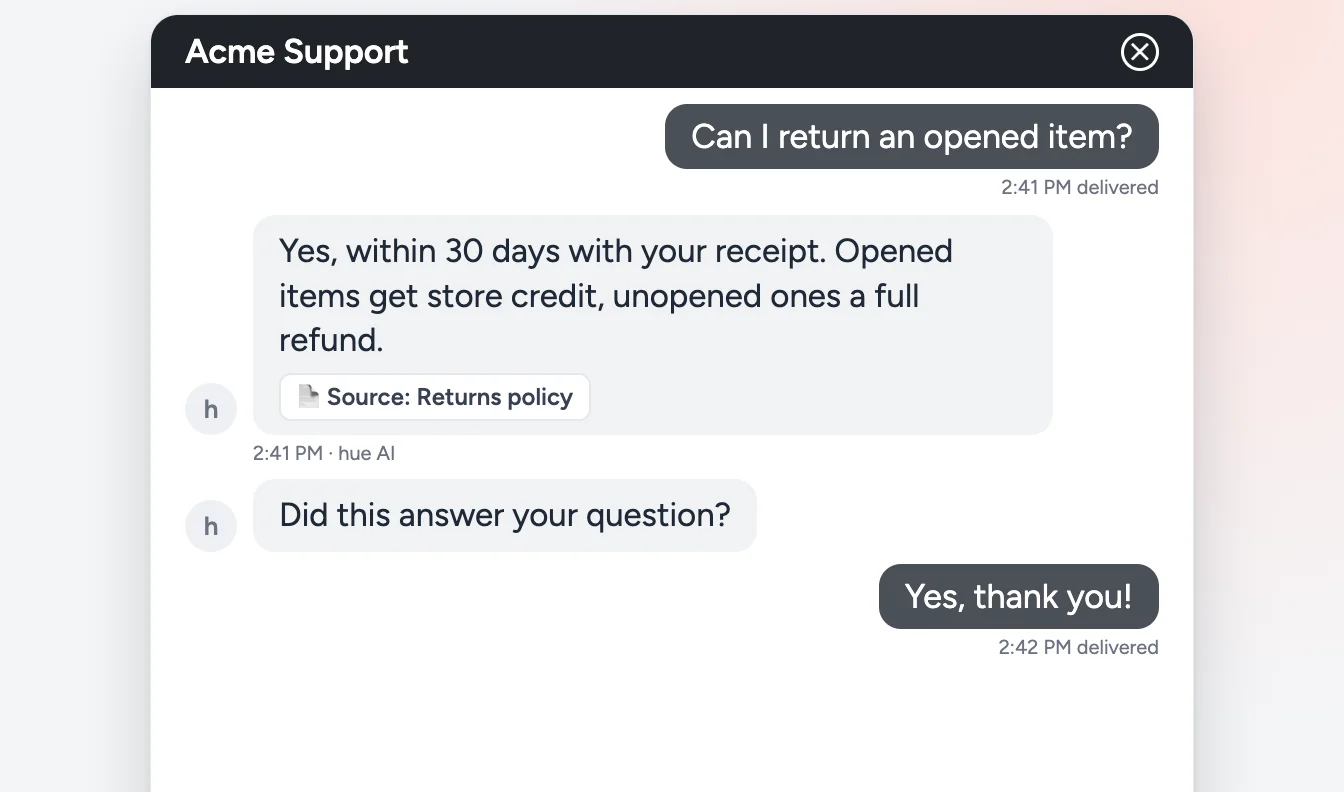
A chat window on your website, with hue answering from your knowledge and a person one click away. Agents see what a customer is typing before it is sent. Live chat system
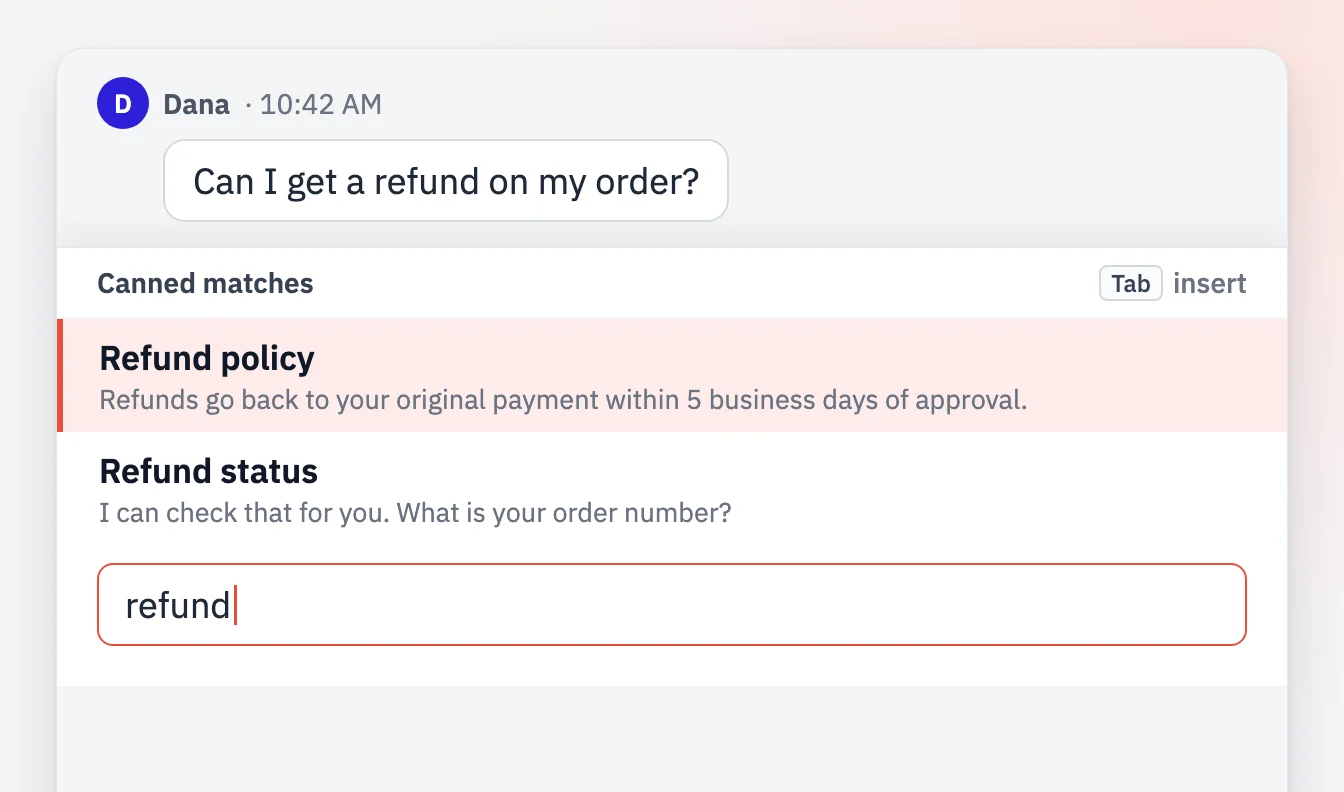
Email becomes tickets with owners, priorities and automations. Saved replies suggest themselves, and nothing waits in a shared inbox. Help desk software
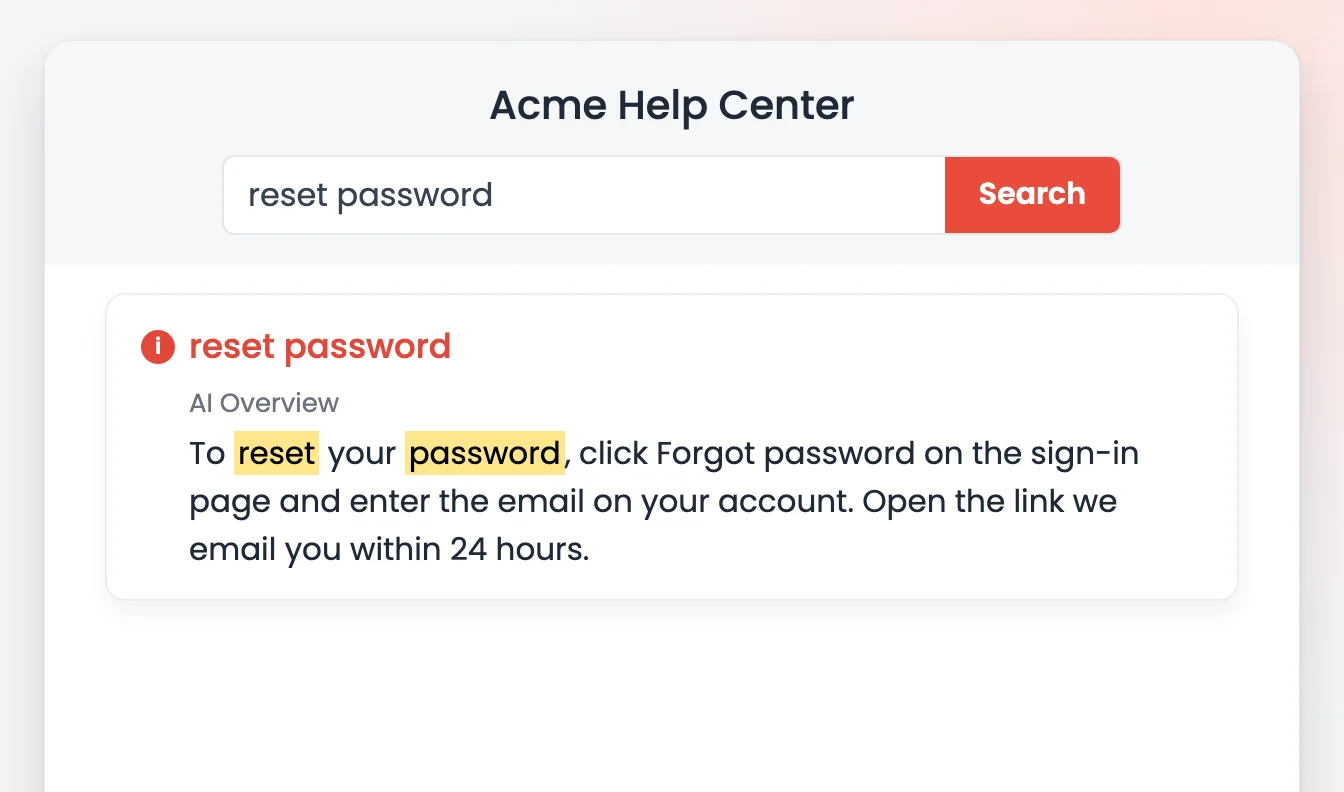
Articles your customers search before they write to you, on your own domain, and the same articles hue answers from. Knowledge base software
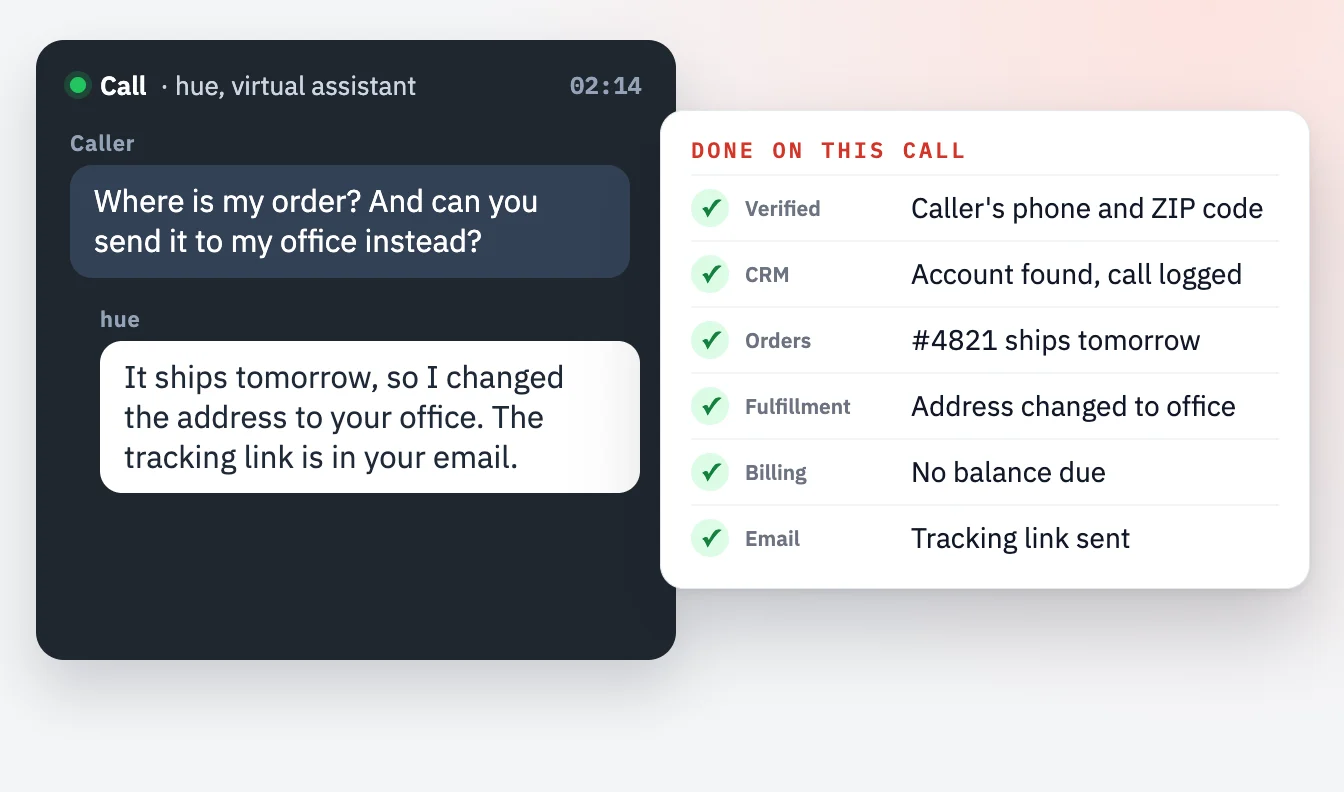
Calls, callbacks and voicemail in the same queue, with Zoom Phone, and hue answering the line as your AI voice agent. Call management
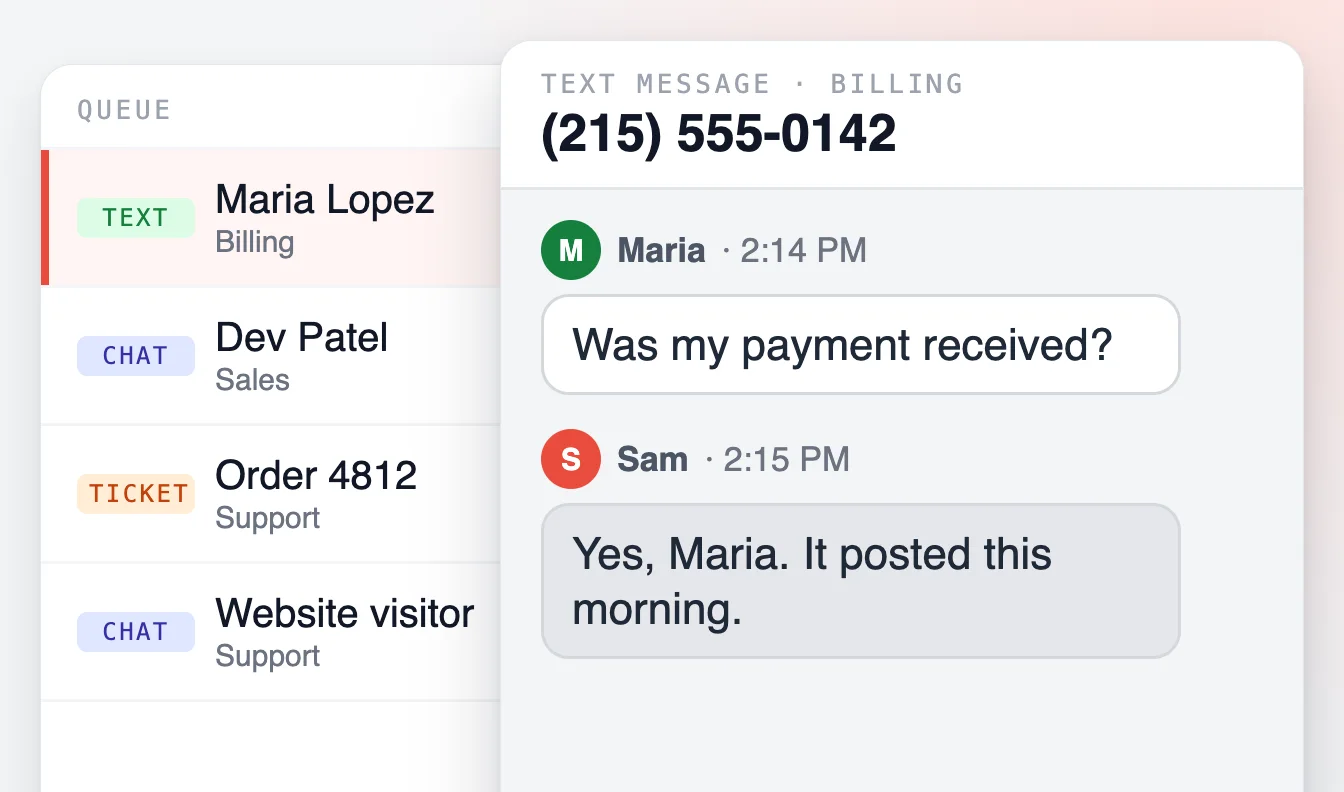
Customers text the business number they already know, and the conversation lands in the queue like a chat. SMS text support
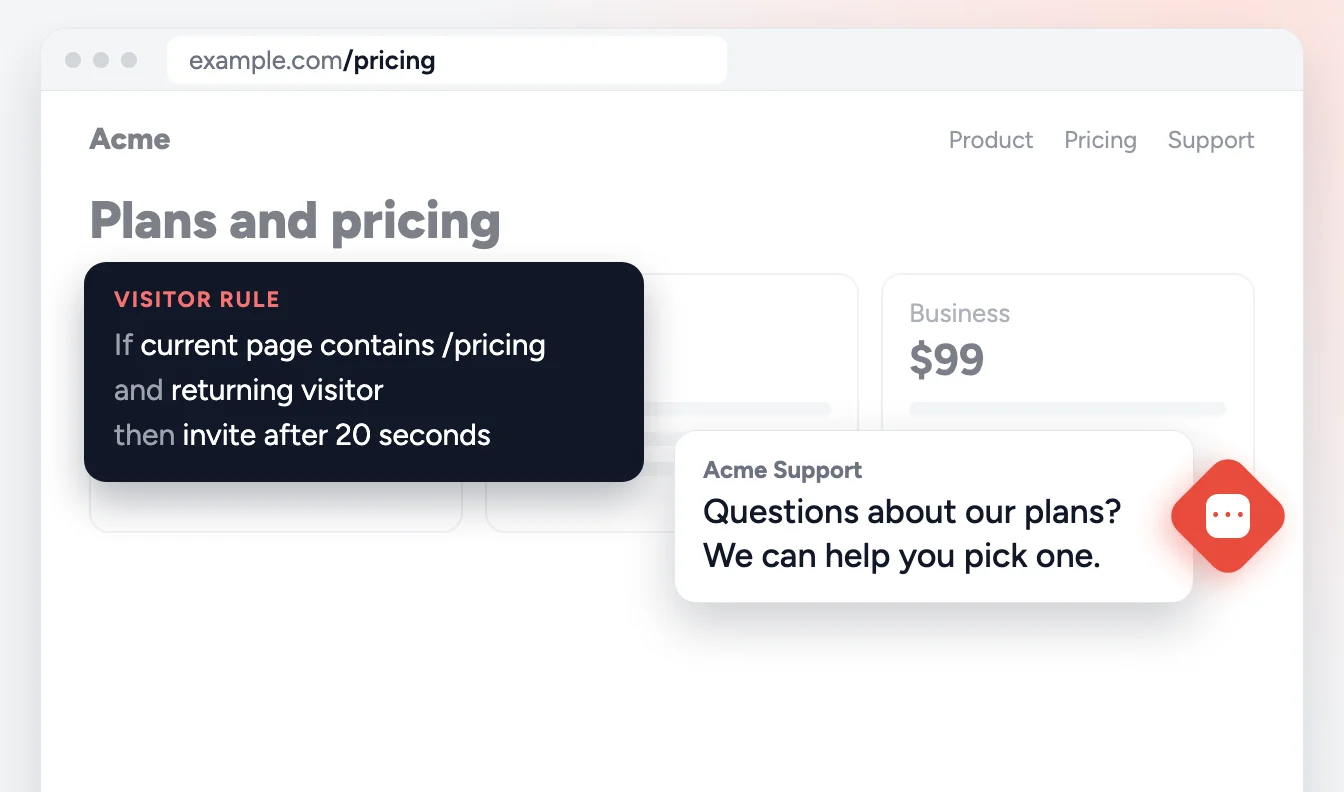
Rules that invite the right visitors, route by department, skill and schedule, and take the routine steps off your agents. Customer service automation
hue is the knowledge of your company, indexed once and used everywhere: by customers in the chat window and on the phone, by agents in the workspace, by managers asking about their support.
Your data is used to answer your questions. It is not used to train AI unless you choose to allow it.
A queue across chat, tickets, calls and texts with the customer's history beside every conversation. About 45 reports, from volume and wait times to agent performance and survey scores, with dashboards you can schedule by email. Shifts with reminders, and an alert to the supervisor when an agent is late: workforce management is built in.
Supervisors see who is online, whisper advice into a conversation that only the team sees, and move a conversation to the right person.
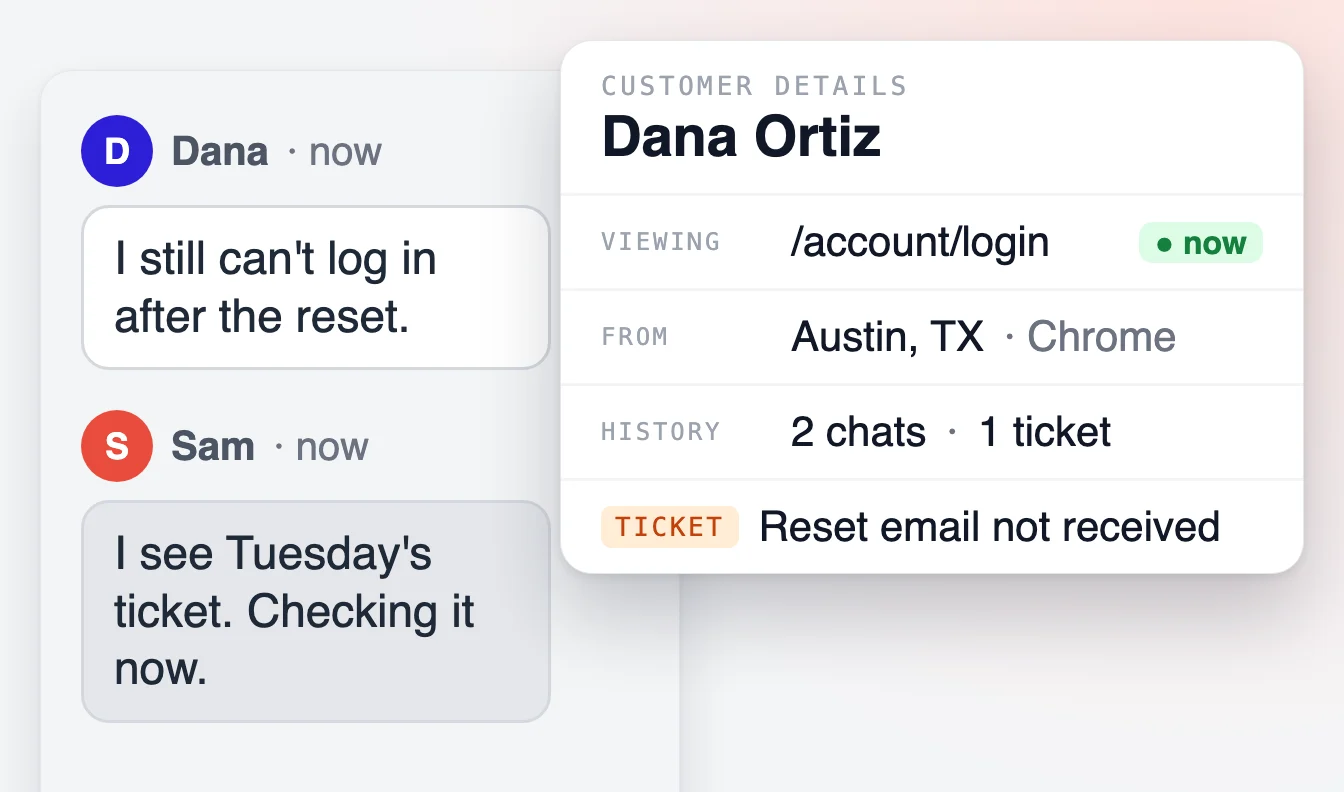
Past chats, tickets and the page they are on, beside the conversation.
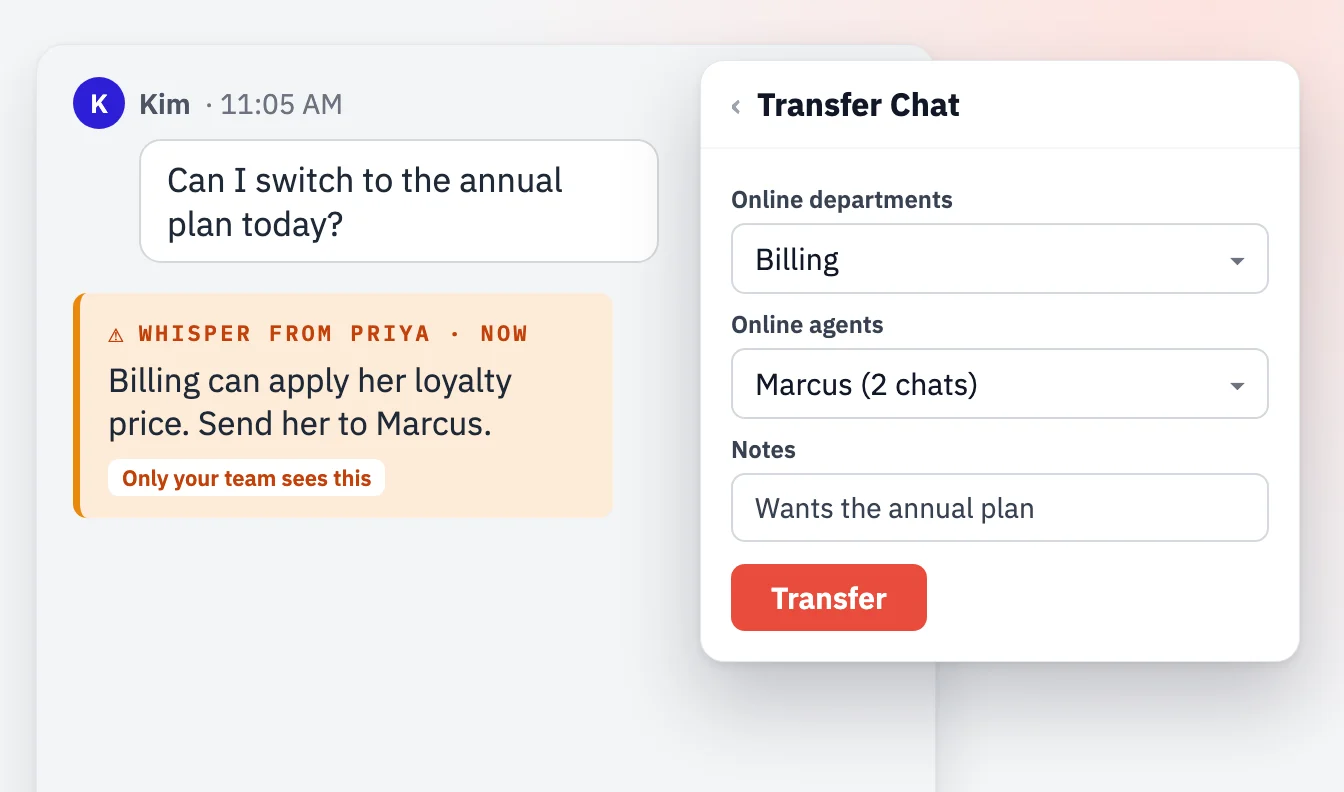
Help in the moment. Whisper is a LiveHelpNow invention, covered by our US patents.
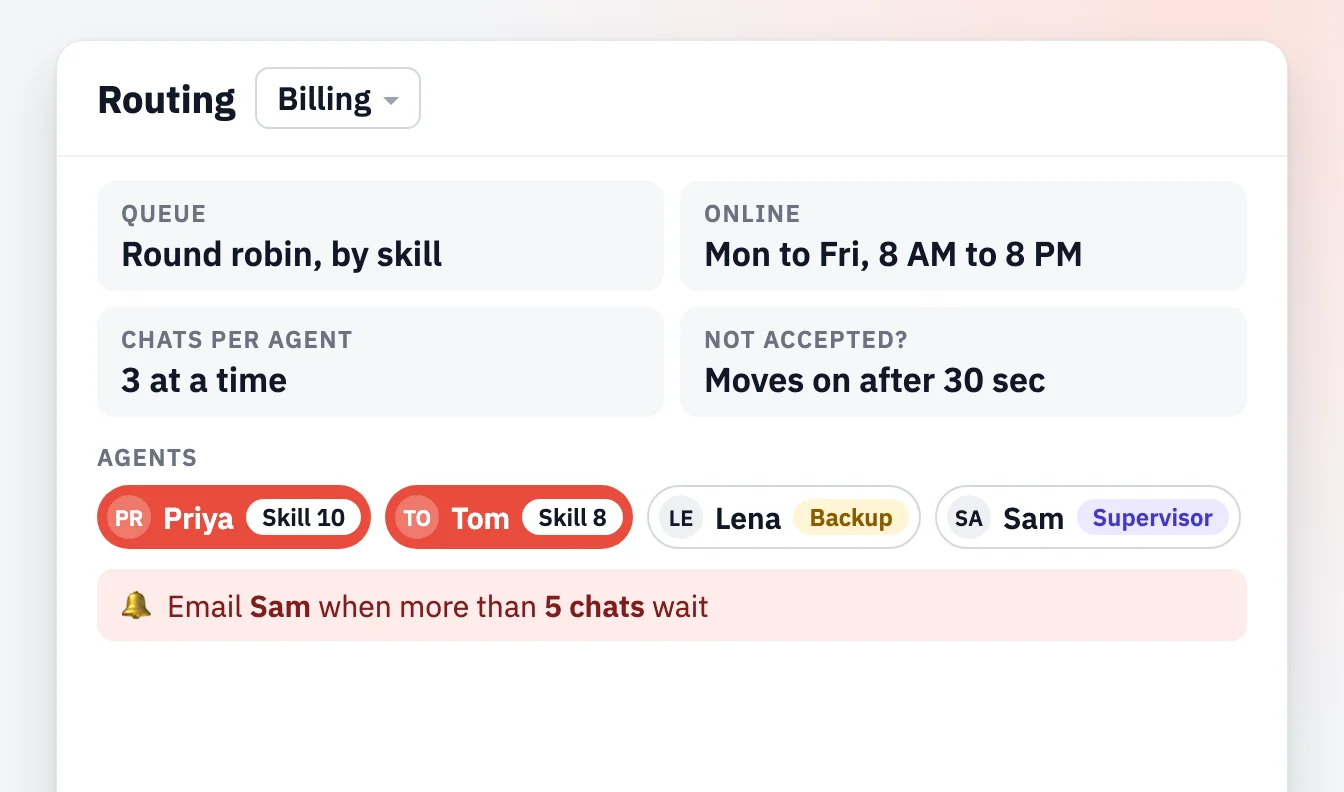
By department, skill, schedule and capacity.
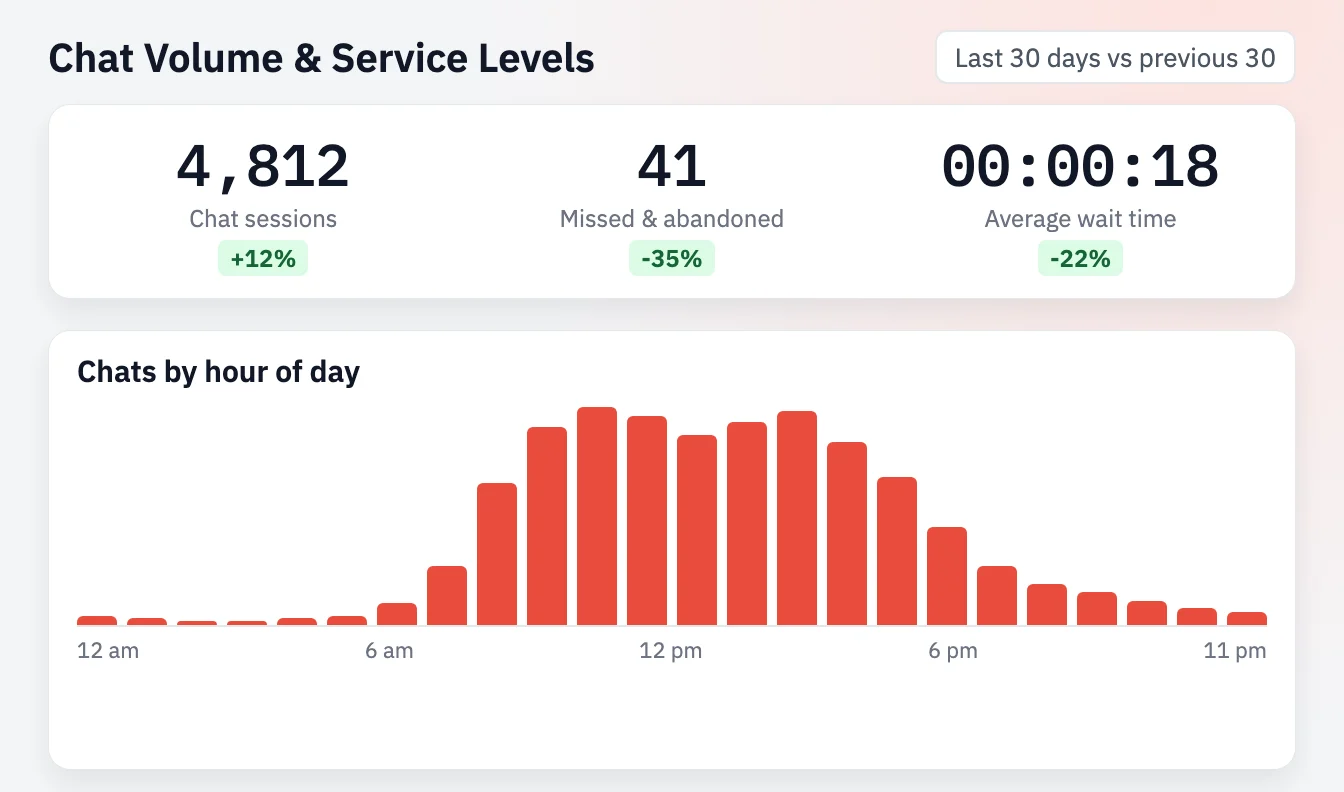
Volume, wait times, agent performance and CSAT.

The controls an IT lead asks about are on the plan, not on a roadmap.
The numbers are ours, and they are on file.

Pricing
Essential, from $39 per seat a month: live chat, the knowledge base and the support portal. Professional, from $59: ticketing, workforce management, dashboards, call logging and Zoom Phone. Premium, from $79: white-glove onboarding and priority support. AI agent assist is included; hue answering customers starts at $99 a month with Knowledge AI.

Book a demo, or drop in your website address and watch hue answer from your content before you sign up.
LiveHelpNow is a customer support platform that puts every channel in one agent workspace: website live chat, SMS, email tickets, phone and callbacks, Facebook Messenger, Instagram, WhatsApp, plus a knowledge base and support portal, secure forms, surveys, automations and reporting. hue, the AI built into it, answers customers and assists agents from knowledge you approve. In business since 2010, based in Doylestown, Pennsylvania.
Website live chat, SMS, email and ticketing, phone (call flows, callbacks and Zoom Phone), Facebook Messenger, Instagram, WhatsApp and Slack, plus a customer support portal with a knowledge base and secure forms. Conversations from every channel land in one workspace, so the conversation, the ticket and the customer record stay together.
hue is the AI assistant built into LiveHelpNow. It learns from your knowledge base, past chats and tickets, your website and documents you upload, then answers customers on its own in chat, on tickets and on the phone, suggests replies for agents, summarizes conversations and answers managers' questions about support data. Every answer comes from your content; when it is not sure, it says so and offers a person.
Routing by department, schedule and skill; ticket rules that assign work, change its status, add watchers, post a reply, send email and post to Slack; saved replies that suggest themselves; chat invitations by page, time and returning visitors; transcripts and surveys after each chat; scheduled reports; and hue answering routine questions on chat, tickets and phone. Basic automations come with every plan, advanced automations from Professional.
April 7, 2026
Explore how businesses use conversational AI to handle high ticket volumes, improve efficiency, and deliver faster, 24/7 customer support.
December 21, 2023
Live chat support offers numerous benefits for enhancing customer service. Learn more about how it can benefit your business.
March 27, 2026
Explore chatbot vs conversational AI differences, real use cases, and how support teams can choose the right solution to improve service and reduce costs.