
November 18, 2024
4 Email Support Tips to Up Your Customer Service Game
Boost customer service with 4 quick email support tips. Respond faster, personalize, resolve issues, and delight customers. Try them today!
Every channel. One queue. The whole story in front of your agent.
Your customers reach out by chat, email, text, phone and social messages, and they expect you to remember them. LiveHelpNow puts every conversation in one queue with the customer's history beside it, so nobody has to repeat themselves and nothing falls between tools. We set your channels up with you, from the phone numbers to the routing.
Omnichannel customer service means customers can reach you on any channel, chat, email, text, phone or social messages, and your team answers all of them from one place with the customer's full history.
No switching between an inbox, a chat tool, a phone app and four social accounts. Your agents work every channel from the same screen.
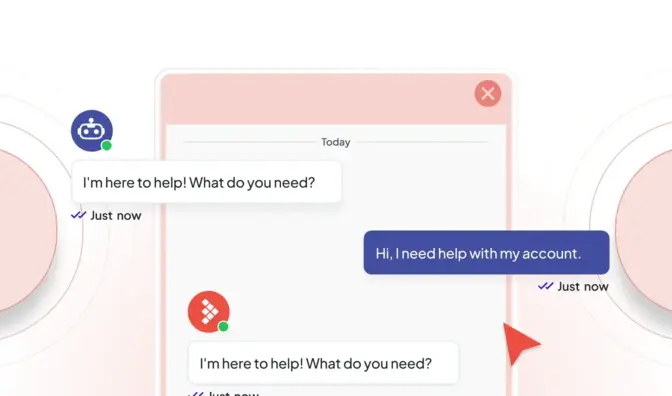
A chat window that matches your brand, with invitations at the right moment, secure forms for sensitive details and Hue answering when your team is busy.
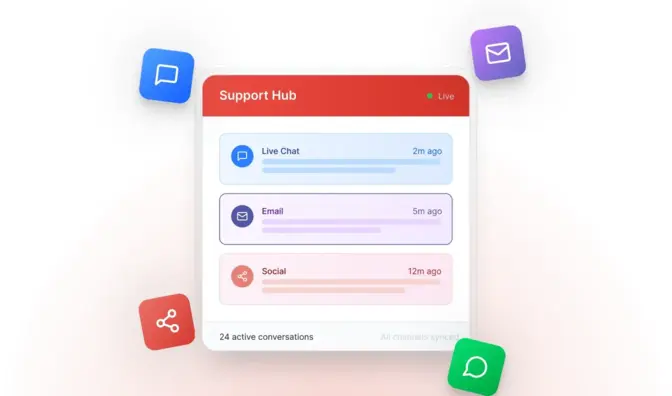
Messages from Facebook Messenger, Instagram and WhatsApp arrive in the same queue as your website chats, answered by the same team with the same saved replies.
Customers text your business number and an agent answers from the console. Our team sets up your number, and customers can agree to texts right in the chat window.
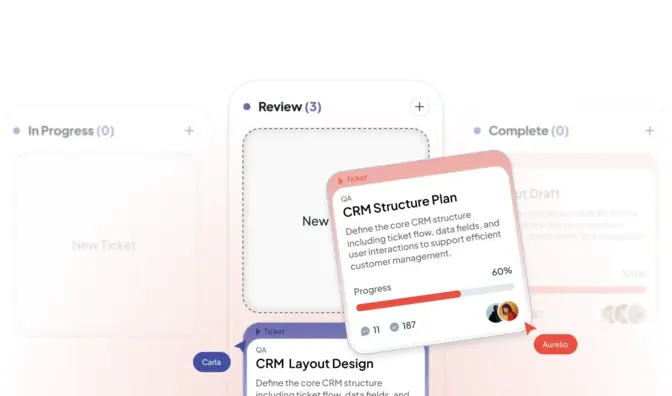
Every email turns into a ticket with an owner, a status and a history, with spam filtered out. Reply from the same place you chat.

Callback requests, call queues with voicemail and transfers, Zoom Phone for calls, and one click to turn a call into a ticket. Hue can answer calls too.

Past chats, tickets and orders sit beside the conversation, and summaries make handovers between agents, shifts and channels clean.
The hard part of serving many channels is not adding them. It is keeping one story when a customer chats on Monday, emails on Tuesday and calls on Wednesday.
Your data is used to answer your questions. It is not used to train AI unless you choose to allow it.

Adding channels should not mean adding headaches, or doing the setup alone. We start with a demo and a discovery call to learn where your customers reach you today and where messages slip through. Then we connect your website, email, phone numbers and social accounts with you, set up routing so each channel reaches the right people, and check that everything lands in one queue before you go live.
Start with the channels you have. Begin with chat and email, add text, phone and social messages when you are ready, and keep one queue the whole way.
We learn where customers reach you and where messages get lost.
Website, email, numbers and social accounts, connected together.
Each channel reaches the right department, skill and shift.

Reports on volume, waits and satisfaction by channel and by agent.
Pricing
Live chat and social channels come with every plan, from $39 per seat a month on Essential. Ticketing with email, call logging and Zoom Phone start on Professional, from $59. Hue answering customers starts at $99 a month with Knowledge AI. Premium adds white-glove onboarding and a monthly success call.

Book a demo and a discovery call. We map your channels with you and show how they would all land in one queue, with one history per customer.
Website live chat, SMS, email and ticketing, phone (call flows, callbacks and Zoom Phone), Facebook Messenger, Instagram, WhatsApp and Slack, plus a customer support portal with a knowledge base and secure forms. Conversations from every channel land in one workspace, so the conversation, the ticket and the customer record stay together.
Yes. The agent console translates live chats both ways (Microsoft Translator and Google Translate), so an agent can serve a customer in the customer's language and reply in their own. The knowledge base can show a translation widget for readers. Website crawling for Hue is English by default.
At any point the customer can ask for a person and the chat goes to your queue with the full conversation and a summary, so nobody repeats themselves. Hue also hands off on its own when it is unsure, when the topic is sensitive (legal, medical, financial, account security) or when only staff can act. On the phone it transfers with a spoken summary of the call.
We start with a discovery call. We learn how your team works today, where your customers reach you, which questions take up the day and what has not worked so far. Then we show LiveHelpNow on your own questions, and if it fits, we set it up with you: channels, routing, saved replies, your knowledge base and Hue. Premium adds white-glove onboarding and a monthly success call.
No. We set it up with you. Adding chat to a website is a snippet; channels, departments, routing rules and the knowledge sources Hue learns from are configured in the admin. You need someone who knows your processes, not a developer. Developers get a REST API, webhooks and a JavaScript SDK when they want them.
November 18, 2024
Boost customer service with 4 quick email support tips. Respond faster, personalize, resolve issues, and delight customers. Try them today!
September 9, 2025
Streamline customer interaction. Discover how omnichannel customer support boosts retention, revenue, and agent productivity.
September 7, 2025
Boost customer support with the best live chat tools for business. Learn features, prices, and top picks. Improve engagement now!

