
January 8, 2025
Integrating Knowledge Management Systems with ChatGPT
Discover how ChatGPT knowledge base integration improves learning, support, and internal operations with smart, AI-powered solutions.
Write the answer once. Let it work everywhere.
Your help articles, your support portal and your AI assistant run from one place. Customers find answers on their own, agents stop retyping the same replies, and when an article is missing you see the exact searches that came up empty. A person is always one click away. And you do not start from a blank page: we help you write the first articles from the questions your customers ask most. From $39 per seat a month, with unlimited articles.
Knowledge base software lets you publish help articles your customers can search on their own, and lets your team and your AI answer from the same articles.
The knowledge base comes with live chat on every plan, so the same articles answer customers on your site, in chat and in your agents' replies.
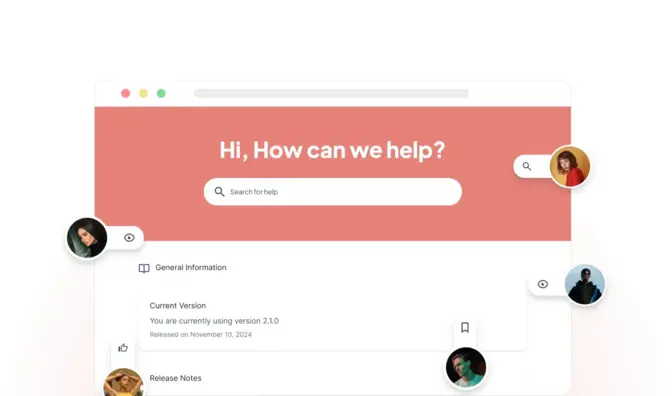
Categories, clean article links, your logo, colors and home page, and your own web address with SSL. Remove the LiveHelpNow branding on Premium.

Every search is logged, so you see what customers look for and what they never find. Readers rate articles up or down and leave comments, so you know what to fix first.
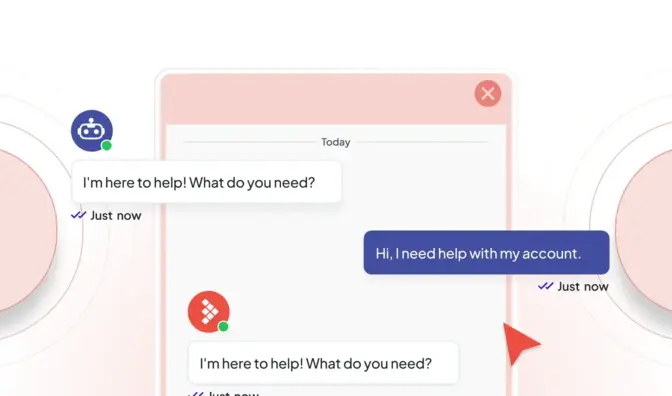
With Knowledge AI, Hue answers customers in chat from your articles and shows the source. When no article covers the question, it says so and offers a person.
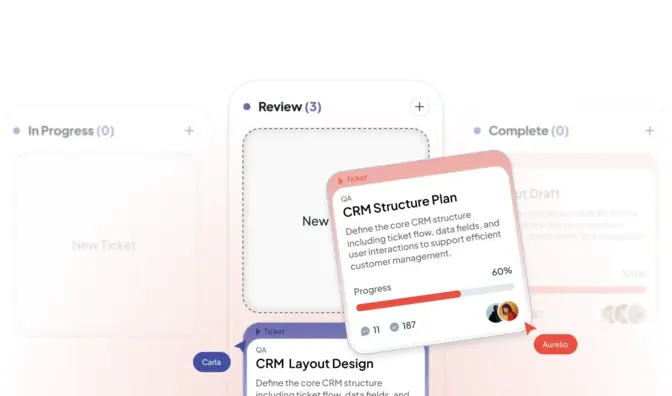
From the help center customers can reach your team: open a ticket (with ticketing, from Professional), ask for a callback and check on their requests, so a missing answer still gets answered.
Keep a help center open to everyone, or put an internal one behind single sign-on for your staff. Limit sites by department and category.
A block editor with content blocks you reuse, a glossary, troubleshooter articles and pinned FAQs. Start a new article from an answer Hue already gave.
Most help centers sit off to the side. Here, publishing an article updates everything at once.
Your data is used to answer your questions. It is not used to train AI unless you choose to allow it.
Most knowledge base tools hand you an empty editor and a guide on how to fill it. A knowledge base is only as good as what is in it, so we start with a demo and a discovery call to learn what your customers ask most and where your answers live today. Then we help you write your first articles, move the ones you have, set up your categories and your help center's look, and connect it all to your chat. You need someone who knows your answers, not a developer.
Moving from Zendesk? Your articles can be imported, and we check the links and categories with you before you switch.

We learn your top questions, your tools and what is not working.
Your first articles, categories, branding and domain, set up together.
Articles suggested to agents, and Hue answering from them if you want it.
We review what customers search for and do not find, and you write the next article.
Pricing
The knowledge base and support portal come with every plan, from $39 per seat a month on Essential, with unlimited articles. Hue answering customers from your articles is Knowledge AI, from $99 a month on Professional or Premium: a flat monthly price with the answers included, not a fee per answer. Premium adds white-glove onboarding, a monthly success call and more knowledge base capacity.

Book a demo and a discovery call. We look at your top questions with you and show how your help center, your chat and Hue would answer them.
A knowledge gaps check asks the live assistant a set of real customer questions, judges each answer and separates "no article exists" from "the article exists but was not found". You get a list of what to write or fix, and reports show what was answered, handed off and left unanswered.
We start with a discovery call. We learn how your team works today, where your customers reach you, which questions take up the day and what has not worked so far. Then we show LiveHelpNow on your own questions, and if it fits, we set it up with you: channels, routing, saved replies, your knowledge base and Hue. Premium adds white-glove onboarding and a monthly success call.
No. We set it up with you. Adding chat to a website is a snippet; channels, departments, routing rules and the knowledge sources Hue learns from are configured in the admin. You need someone who knows your processes, not a developer. Developers get a REST API, webhooks and a JavaScript SDK when they want them.
Yes. Each account gets a knowledge base and support portal on a LiveHelpNow address or your own domain with SSL: categories, article ratings, comments, search with every query logged, sitemap and canonical tags, white labeling, a private option behind single sign-on, and a support portal where customers submit and track tickets. Publishing an article also updates Hue.
Yes. The chat window, the knowledge base and the support portal carry your logo, colors and domain. The Premium plan removes LiveHelpNow branding from the customer-facing pieces entirely.
Yes. We help you move your articles, categories and links, and articles from Zendesk can be imported. We check the result with you before you switch, so your customers do not hit broken links.
January 8, 2025
Discover how ChatGPT knowledge base integration improves learning, support, and internal operations with smart, AI-powered solutions.
January 10, 2025
AI knowledge base management may sound like something out of a sci-fi movie, but it's a real-life tool that helps real customers.
August 9, 2024
Discover how AI-powered customer service improves efficiency and personalization. Start a 30-day free trial with LiveHelpNow today!

