January 28, 2025
Simplify Support with Customer Service Ticketing Systems
Discover how customer service ticketing systems improves customer support with faster resolutions and advanced automation tools.
Let the routine run itself. Keep people for the moments that matter.
Send every chat, ticket and call to the right person the first time. Answer the questions you get fifty times a day without typing them again. Follow up, survey and report on a schedule. And whenever a customer wants a person, they get one, with the whole conversation in front of them. We build your rules with you, around how your team already works.
Customer service automation sends each request to the right person, answers routine questions and handles the follow-up work, so your team spends its time on the conversations that need a person.
Automation here is not a separate tool to learn. It is part of the same workspace your agents already use for chat, tickets and calls.
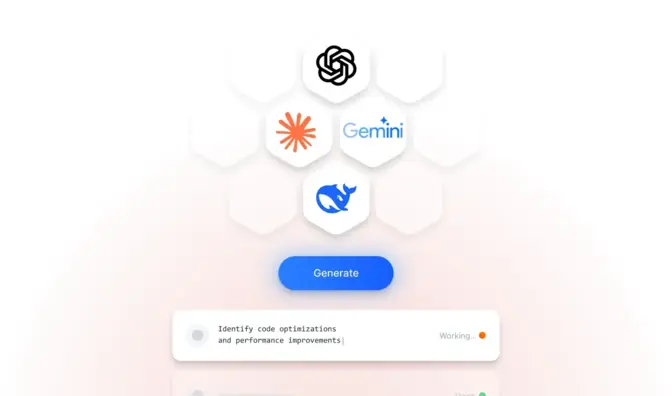
Route by department, schedule and skill level, with backups and supervisors. Set how many chats each agent takes, when a waiting chat moves on, and who gets an alert when the queue grows.
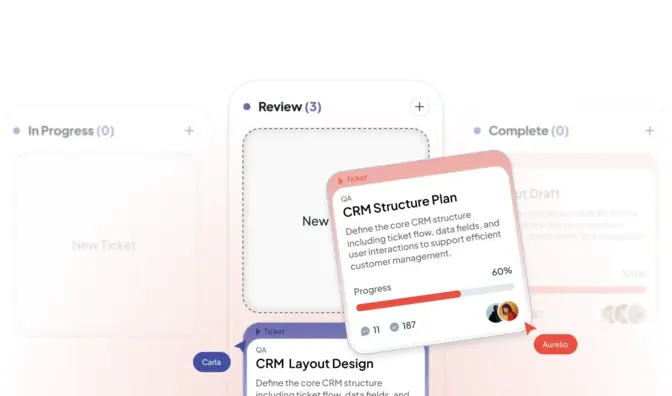
Ticket rules assign the work, change its status, add watchers, post a reply, email your team or the customer and post to Slack, so no request sits in a shared inbox waiting for someone to notice it.
Saved replies with formatting, links and customer fields, in shared or personal folders. They pop up as agents type and when a customer's message matches a keyword.
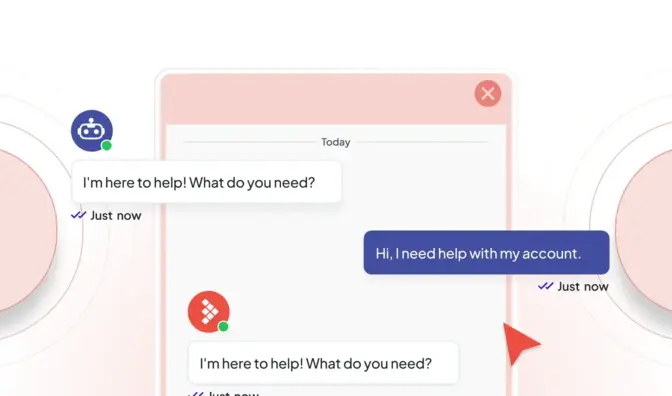
Hue answers chats, new tickets and calls on its own from your knowledge, shows its source, and hands off to a person when the customer asks or when it is not sure.
Visitor rules offer a chat at the right moment, for example on your pricing page, after a set number of seconds, or when a visitor comes back, so help shows up before a customer gives up.

Send the transcript and a satisfaction survey after each chat, get an email when a conversation turns negative, and have reports land in your inbox on a schedule.
Most automation tools are built to keep customers away from your team. Ours is built to get them to the right person faster.
Your data is used to answer your questions. It is not used to train AI unless you choose to allow it.

Most automation tools hand you a template and a how-to guide, and a template rarely fits. We start with a demo and a discovery call to learn how work moves through your team today: who handles what, where requests get stuck, and which questions eat up the day. Then we set up your departments, routing, rules and saved replies with you, test them on real conversations, and adjust until they work the way you want.
No developer needed. You need someone who knows how your team works. When you want to connect your own systems, there is a REST API and webhooks for your developers.
We map how requests reach you and where they get stuck.
Departments, schedules, skills and triggers, set up together.
Your best answers saved, and Hue answering the routine ones if you want it.
Reports on waits, handoffs and answers, and we tune the rules with you.
Pricing
Basic automations come with every plan, from $39 per seat a month on Essential. Advanced automations and ticketing start on Professional, from $59. Hue answering customers starts at $99 a month with Knowledge AI, and whole AI conversations at $499 a month with Conversational AI: flat monthly prices with the usage included, not a fee per resolution. Premium adds white-glove onboarding, a monthly success call and higher automation limits.

Book a demo and a discovery call. Tell us which questions and tasks eat up your team's time, and we will show you what we would automate first, and what we would leave to your people.
No. Hue answers routine questions so your team does not have to; your people handle what needs judgment. A person is always one click away for the customer: Hue hands off with a summary of the conversation when the customer asks, when it is unsure, when the topic is sensitive, or when only staff can act. LiveHelpNow is built for AI and agents working the same queue.
Routing by department, schedule and skill; ticket rules that assign work, change its status, add watchers, post a reply, send email and post to Slack; saved replies that suggest themselves; chat invitations by page, time and returning visitors; transcripts and surveys after each chat; scheduled reports; and Hue answering routine questions on chat, tickets and phone. Basic automations come with every plan, advanced automations from Professional.
At any point the customer can ask for a person and the chat goes to your queue with the full conversation and a summary, so nobody repeats themselves. Hue also hands off on its own when it is unsure, when the topic is sensitive (legal, medical, financial, account security) or when only staff can act. On the phone it transfers with a spoken summary of the call.
We start with a discovery call. We learn how your team works today, where your customers reach you, which questions take up the day and what has not worked so far. Then we show LiveHelpNow on your own questions, and if it fits, we set it up with you: channels, routing, saved replies, your knowledge base and Hue. Premium adds white-glove onboarding and a monthly success call.
No. We set it up with you. Adding chat to a website is a snippet; channels, departments, routing rules and the knowledge sources Hue learns from are configured in the admin. You need someone who knows your processes, not a developer. Developers get a REST API, webhooks and a JavaScript SDK when they want them.
January 28, 2025
Discover how customer service ticketing systems improves customer support with faster resolutions and advanced automation tools.
August 20, 2026
Every support ticket handoff quietly raises handle time, drops FCR, and lowers CSAT. Learn to measure and reduce the escalation tax in your operation today.
October 9, 2025
Boost response times with AI-driven support ticket prioritization. Identify urgent issues fast and streamline customer support