
August 6, 2025
Generative AI Chatbots for Always-On Support: What Businesses Need to Know
Discover how AI chatbot customer service boosts support, reduces costs, and works nonstop - just like our chatbot hue at LiveHelpNow.
They text. hue or your team answers.
LiveHelpNow turns the landline or toll-free number your business already owns into a text line. Texts arrive in the same workspace as your chats, tickets and calls, routed to the right department. hue can take the first question from your knowledge base, and hands over to your team when it has no answer. We do the setup with you, and your phone service stays exactly as it is.
Some questions are too small for a call and too urgent for an email. Let customers text them to the number they already have, and answer from the workspace your team already uses.
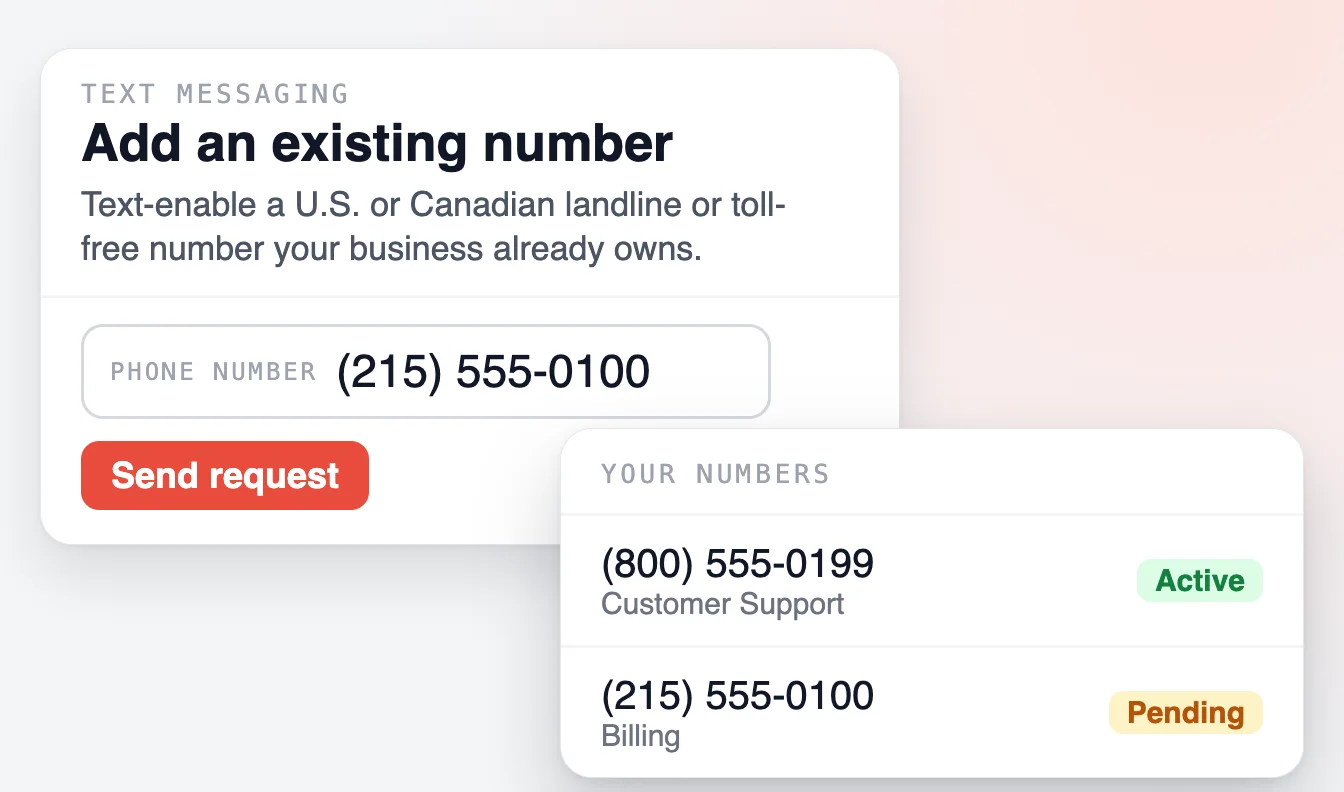
We text-enable the U.S. or Canadian landline or toll-free number your business already owns. You confirm it is yours and sign one letter. Calls keep working exactly as they do today.
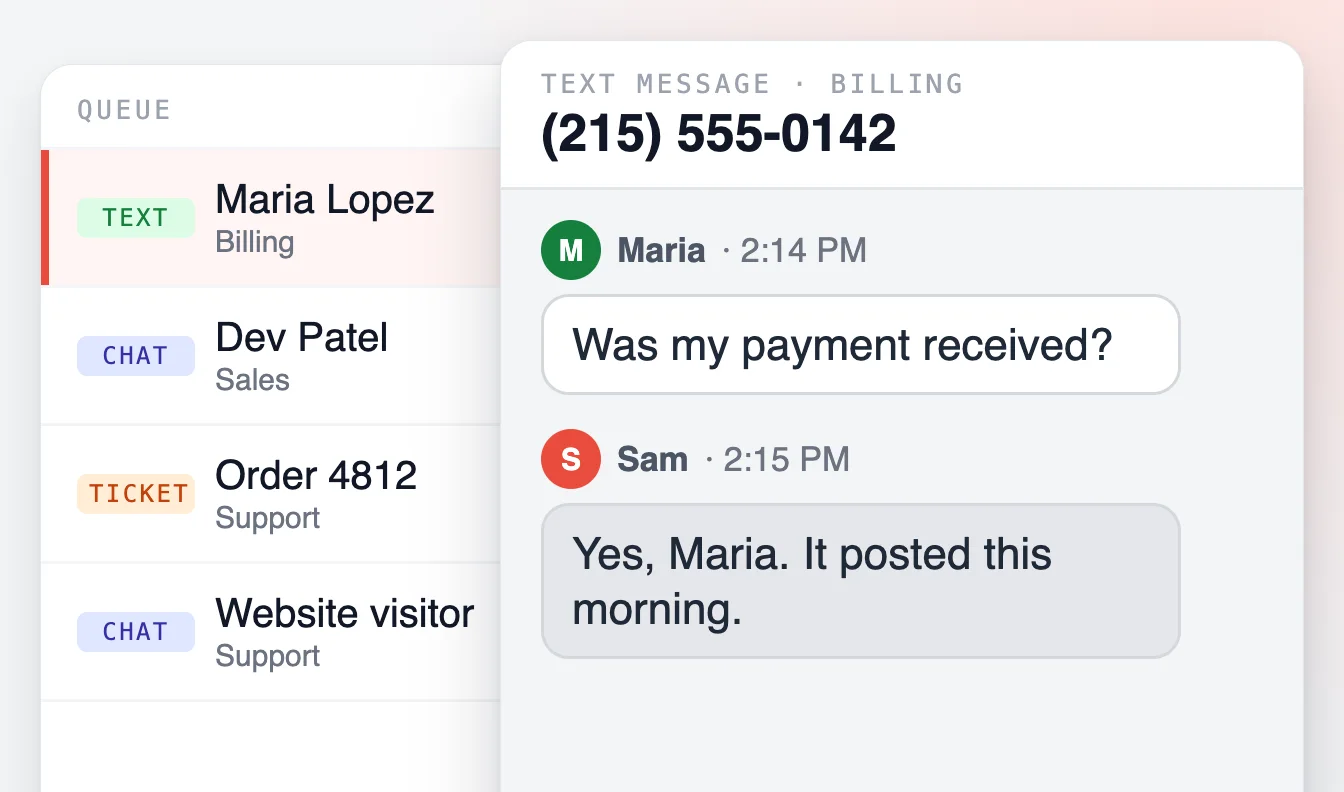
A text arrives in the agent workspace like a chat, beside your tickets and calls. Each number routes to its own department, and a customer's texts stay in one thread.
A welcome text when the conversation starts, another when your team is offline or outside its schedule, and up to ten questions texted one at a time, so the agent starts with what they need.

Put hue on your text line as the first step. It answers from your knowledge base, asks if that helped, and hands the conversation to a person when it has no answer or the answer did not help.
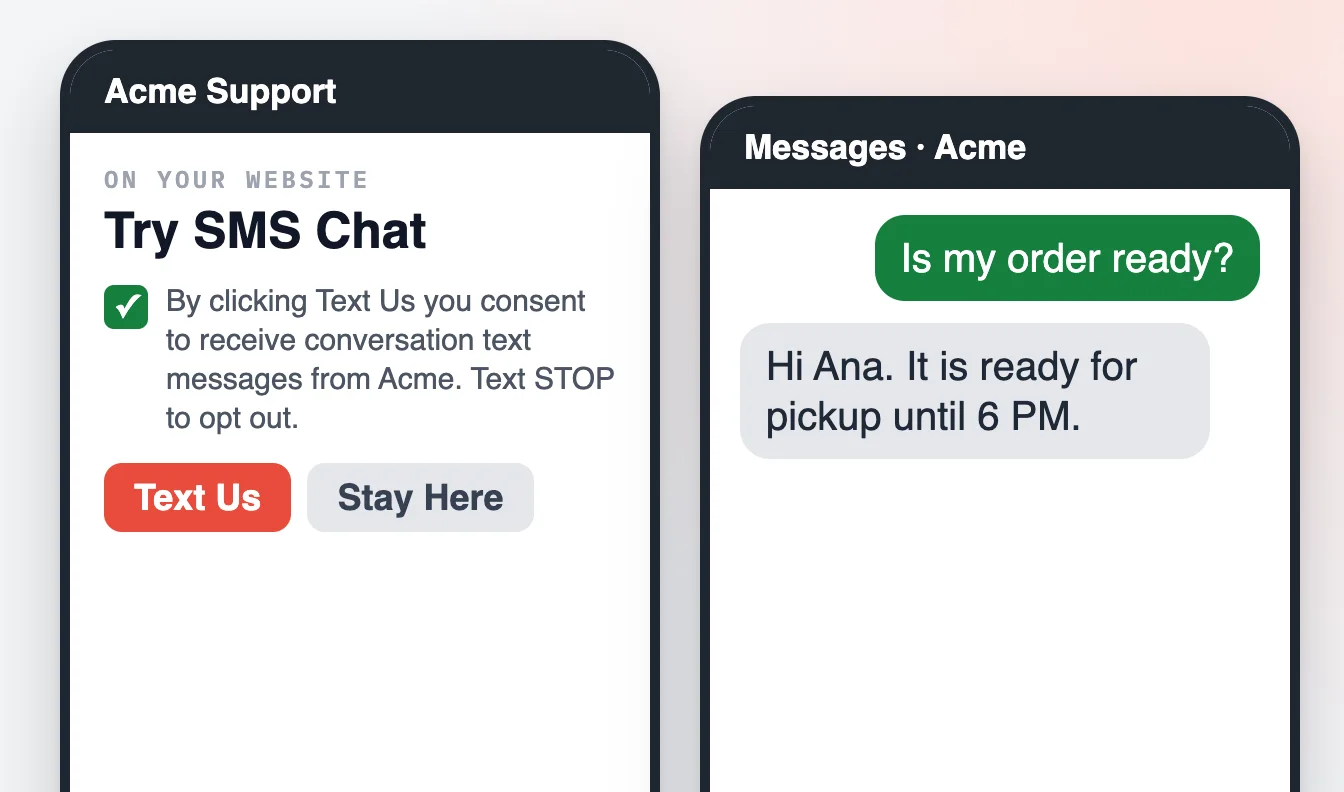
On a phone, your chat window can offer "Text us" instead, with the customer's consent. With Advanced Phone and Zoom Phone, a missed call gets a text back automatically and the reply lands in your queue.

An agent starts a new text conversation from the workspace, uses canned responses, transfers the thread to another department, and reads incoming texts translated into their own language.
No new number to print on your website or teach your customers, and no change to your phone service: adding texting has no effect on your calls. You need someone who can confirm the number is yours, not a developer.
One text number for each agent license on your plan. U.S. and Canadian numbers.

A text thread gets the tools of a chat: saved replies that suggest themselves, transfer to the right department, translation of what the customer writes, and a survey link by text when the conversation ends. Reports count text conversations and messages sent and received, next to your chat and ticket numbers.
Managers see the month's message count against the plan.
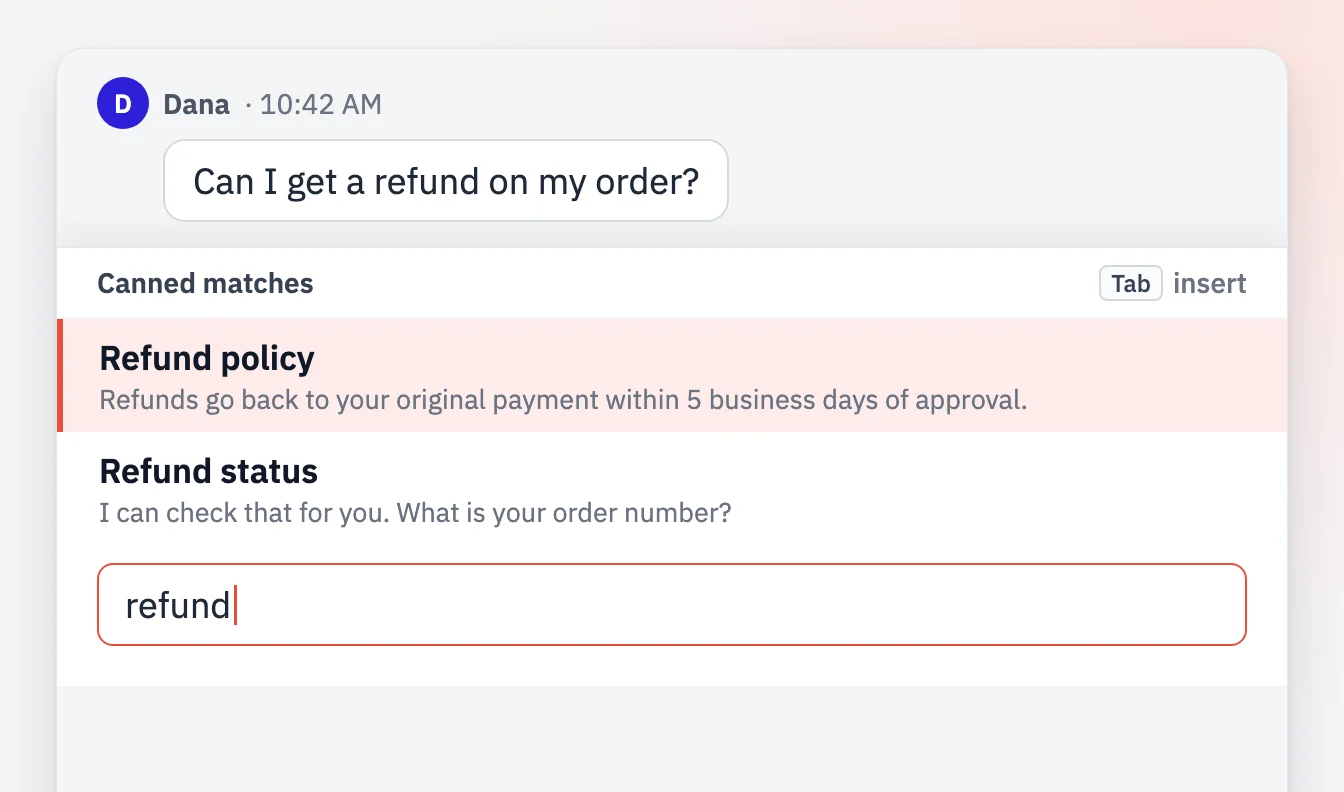
The right canned response suggests itself as the agent types.
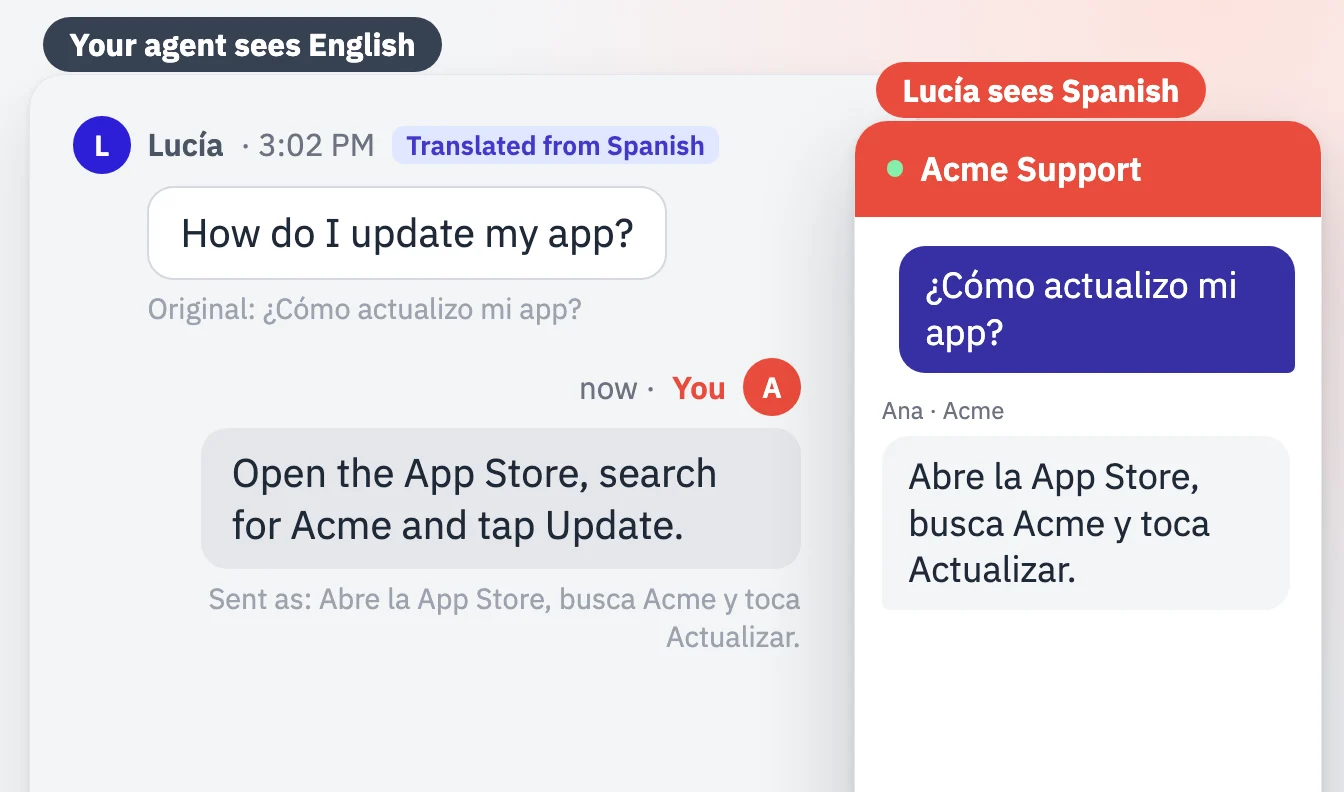
Read a customer's text in your own language.
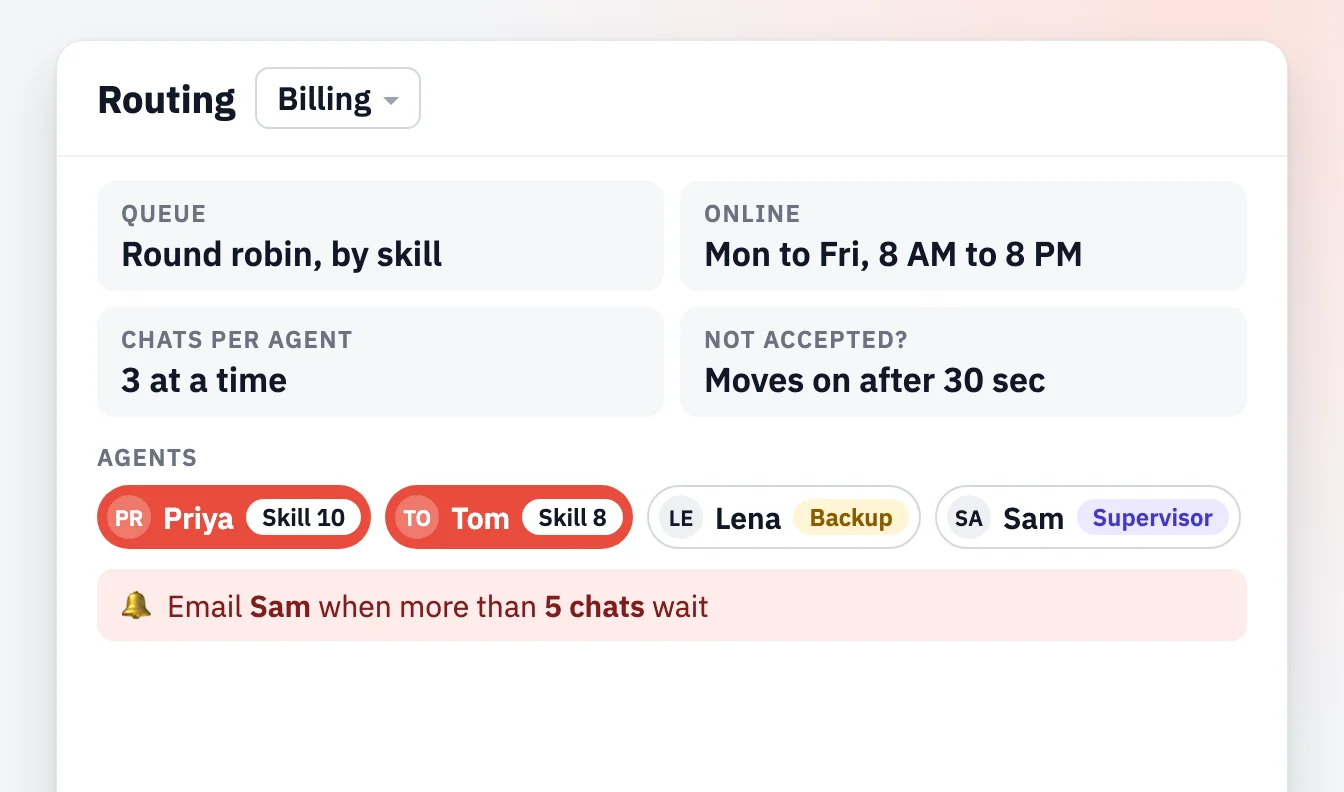
Each number goes to its department, on that department's schedule.
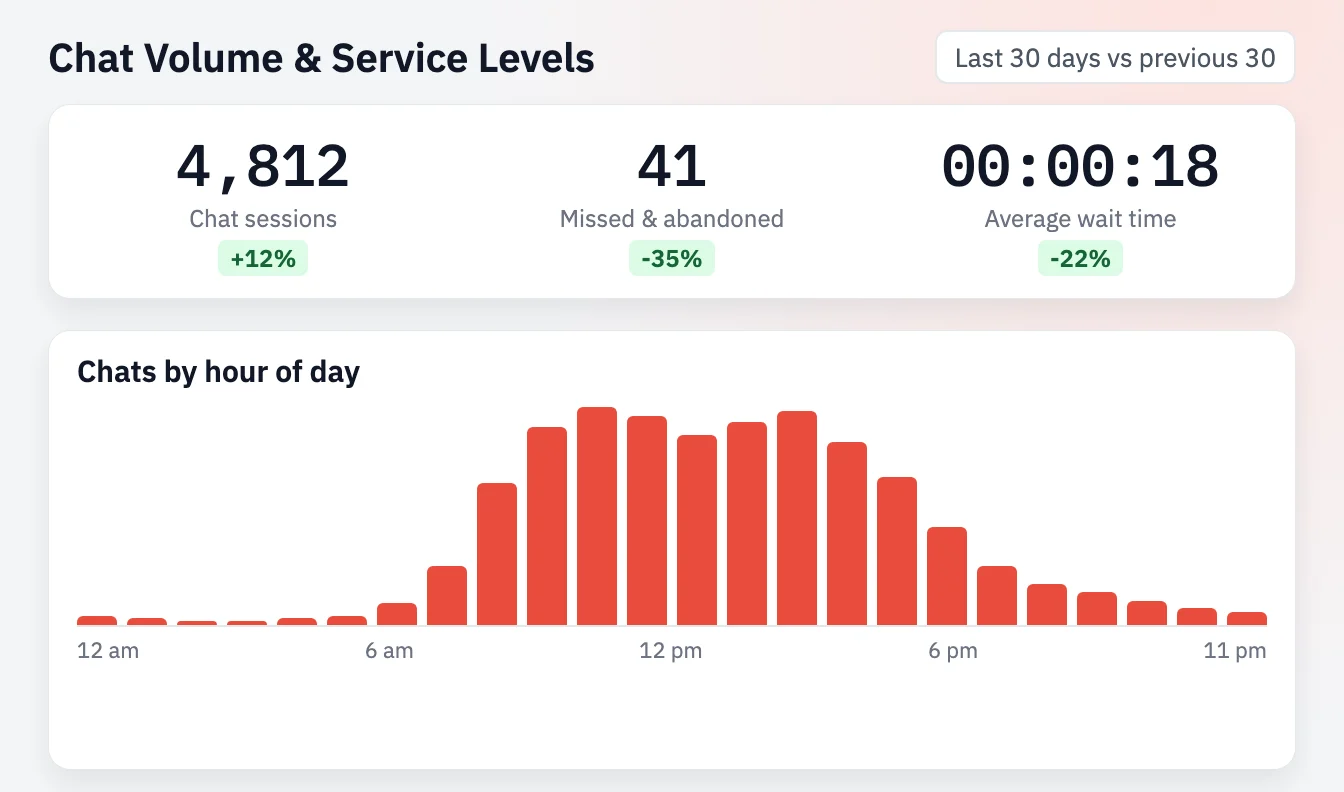
Conversations and messages, sent and received.

Mobile carriers have rules for business texting. The setup follows them, and we say plainly what the channel does not do.
Book a demo and we walk you through the setup and the first text conversation, with hue or your team answering.
Yes. LiveHelpNow can text-enable a U.S. or Canadian landline or toll-free number your business already owns. We confirm with you that the number is yours, send a letter of authorization to sign, and set the number up with the carrier. Your phone service is not affected: calls keep working as they do today. Texts then arrive in the agent workspace like chats, routed to the department you choose.
Yes, as the first step on your text line. hue answers from your knowledge base, asks whether that helped, and hands the conversation to a person when it has no answer or the answer did not help. Without hue, every text goes straight to your team's queue.
On a phone, your chat window can offer "Text us" instead of web chat, with the customer's consent, and the conversation continues in their own messages app. With Advanced Phone and Zoom Phone, a missed call can get a text back automatically, which opens a text conversation in your queue.
August 6, 2025
Discover how AI chatbot customer service boosts support, reduces costs, and works nonstop - just like our chatbot hue at LiveHelpNow.
May 27, 2026
As conversational AI becomes more common in customer support, one question continues to surface: Will AI replace human agents?
April 7, 2026
Explore how businesses use conversational AI to handle high ticket volumes, improve efficiency, and deliver faster, 24/7 customer support.

